Activate a License and Obtain Resources
Use an authorization Key to sign in to KeyAnchor, complete verification, and download purchased resources.
Prepare your authorization Key
After a purchase, you will generally receive an authorization Key beginning with KALP. It is used to sign in to KeyAnchor, identify your paid license, and access related services.
Copy the complete Key and store it securely. Do not publish it in group chats, tickets, screenshots, or public repositories.
If you have lost your Key, see what to do if you lose your key.
If you suspect that your Key was exposed, see key replacement and entitlement transfer and replace it immediately.
Sign in and extract your resource
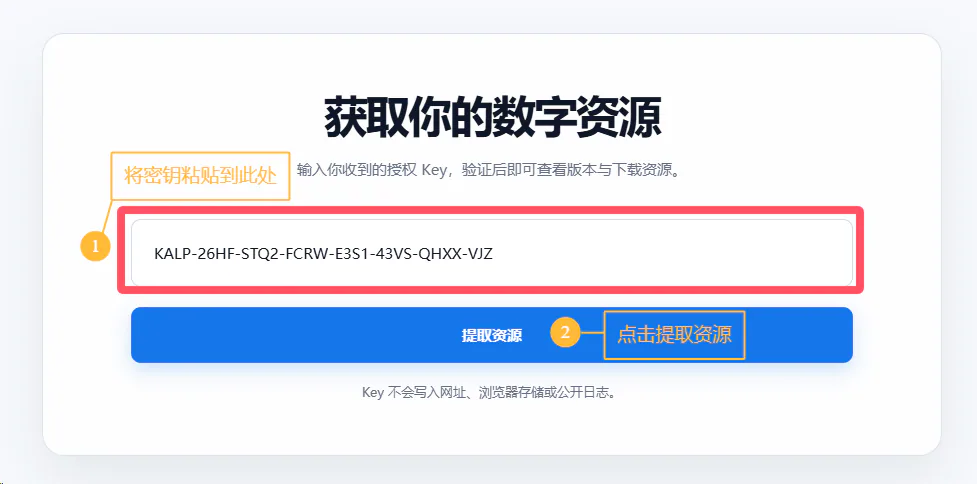
- Open the KeyAnchor platform.
- Paste the complete authorization Key into the input field.
- Click “提取资源” (“Extract resource”).
Bind a verification channel for the first use
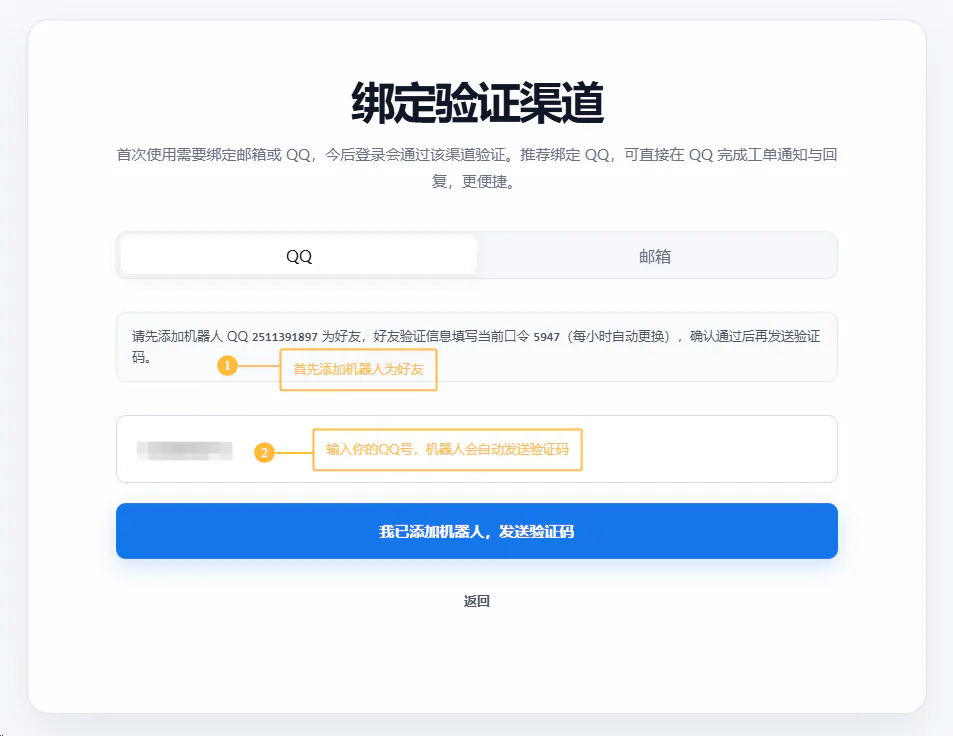
When you extract a resource for the first time, the platform may ask you to bind QQ or email. After binding, the platform can use that channel to verify your sign-in and send resource-update and ticket notifications.
- Select QQ or email as the verification channel.
- Follow the instructions on the page to complete verification.
- After verification succeeds, return to the platform and continue extracting the resource.
If you want to receive and reply to tickets through QQ, bind QQ and enable “通过 QQ 回复工单” (“Reply to tickets through QQ”) on the resource management page.
Manage and download resources
After binding succeeds, or when you sign in again, you will enter the management page for your purchased resource:
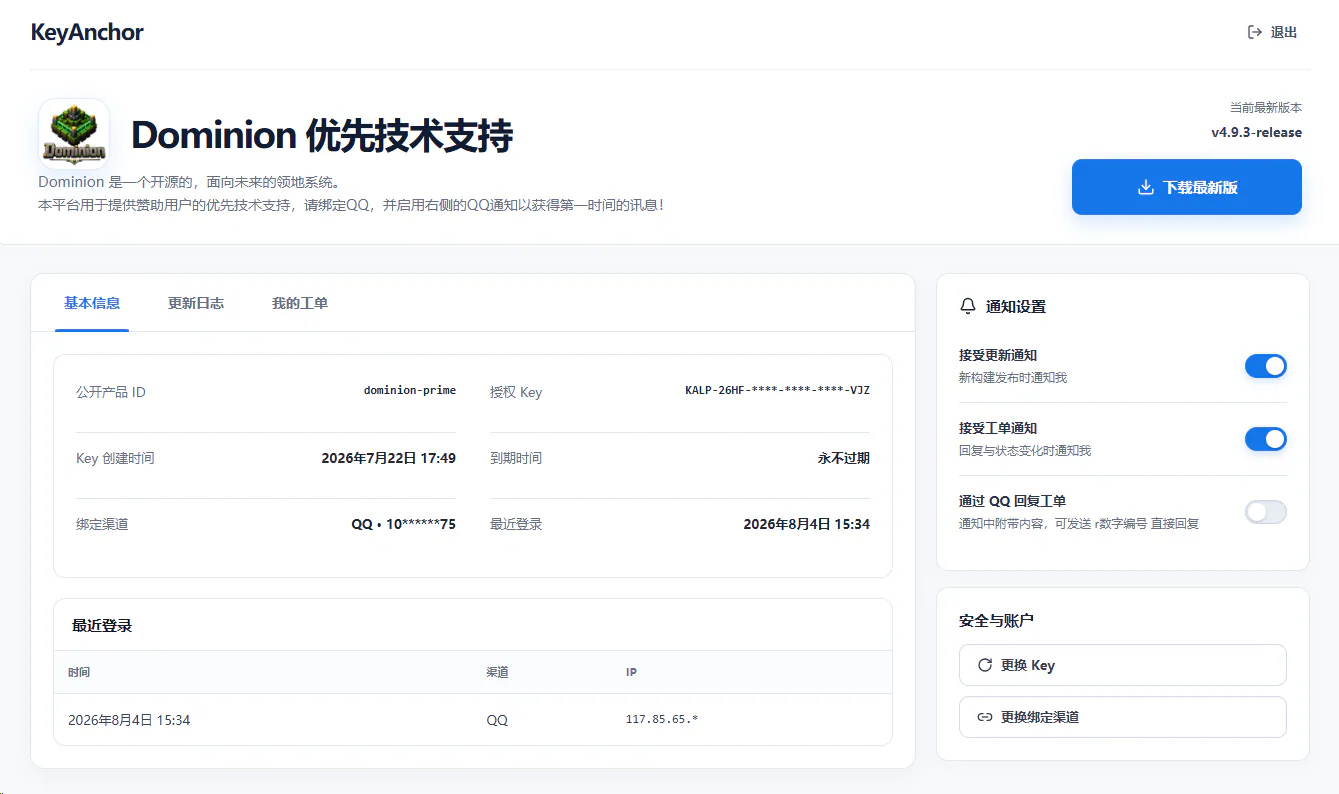
- Click “下载最新版” (“Download latest version”) in the upper-right corner to obtain the latest available resource version;
- Click “更新日志” (“Changelog”) to read version changes and obtain historical versions when the page provides them;
- Enable update or ticket notifications under “通知设置” (“Notification settings”);
- For after-sales support, open “我的工单” (“My tickets”) and create a ticket. See tickets and one-on-one support for the procedure.
Tip: Keep your Key safe. After you download a resource, you may still need to sign in to KeyAnchor for future updates, notifications, and after-sales support.